Drawing revision comparison
Compare PDF drawings and make revision changes easier to inspect.
Bring drawing versions into one desktop review workflow, inspect their differences, and mark the areas that need a decision, RFI, or handoff note.
Built for the review that follows an addendum or revised issue: compare the two sheets, then record the decision, RFI, or coordination note on the drawing.
Free with no trial timer: markup, review, calibration, 3 hand-created measurements per document, and Revision Package viewing. Symbol Search, plugins, and Revision Package changes or publishing require Pro.
Quick answer
How do you compare two revisions of a PDF drawing?
Confirm that the PDFs represent the same sheet, check revision identifiers, and align their position and scale before comparing. Review detected differences against the actual drawing and record relevant changes with markups or revision clouds. PolyPDF supports drawing comparison, but differences can also come from shifted pages or changed rendering. A comparison does not establish that every design change has been found.
Try the drawing pair and check the source changes →01 / WHY
A detected change still needs project context.
A comparison can show that pixels differ, but the reviewer decides whether the change affects scope, constructability, pricing, or coordination. PolyPDF pairs visual comparison with markup tools so the next action can be recorded on the drawing.
Work with the construction drawing set
Compare the Willow Creek architectural revisions
A101 · A201
- Open Revision A and Revision B. Pair A101 with A101 and A201 with A201; keep the full sheet extents aligned.
- On A101, review the 6 ft partition shift between rooms 103 and 104 and the 3 ft movement of the room 104 door.
- Review the added 6 ft south glazing on A101 and A201, then check the revised issue fields and notes.
Room 103 changes from 576 to 720 sq ft; room 104 changes from 576 to 432 sq ft. The gross footprint stays 5,760 sq ft. These are authored changes, not a promised detection count.
Drawing reference values, not new app test results. Work on a copy and check your own saved output.
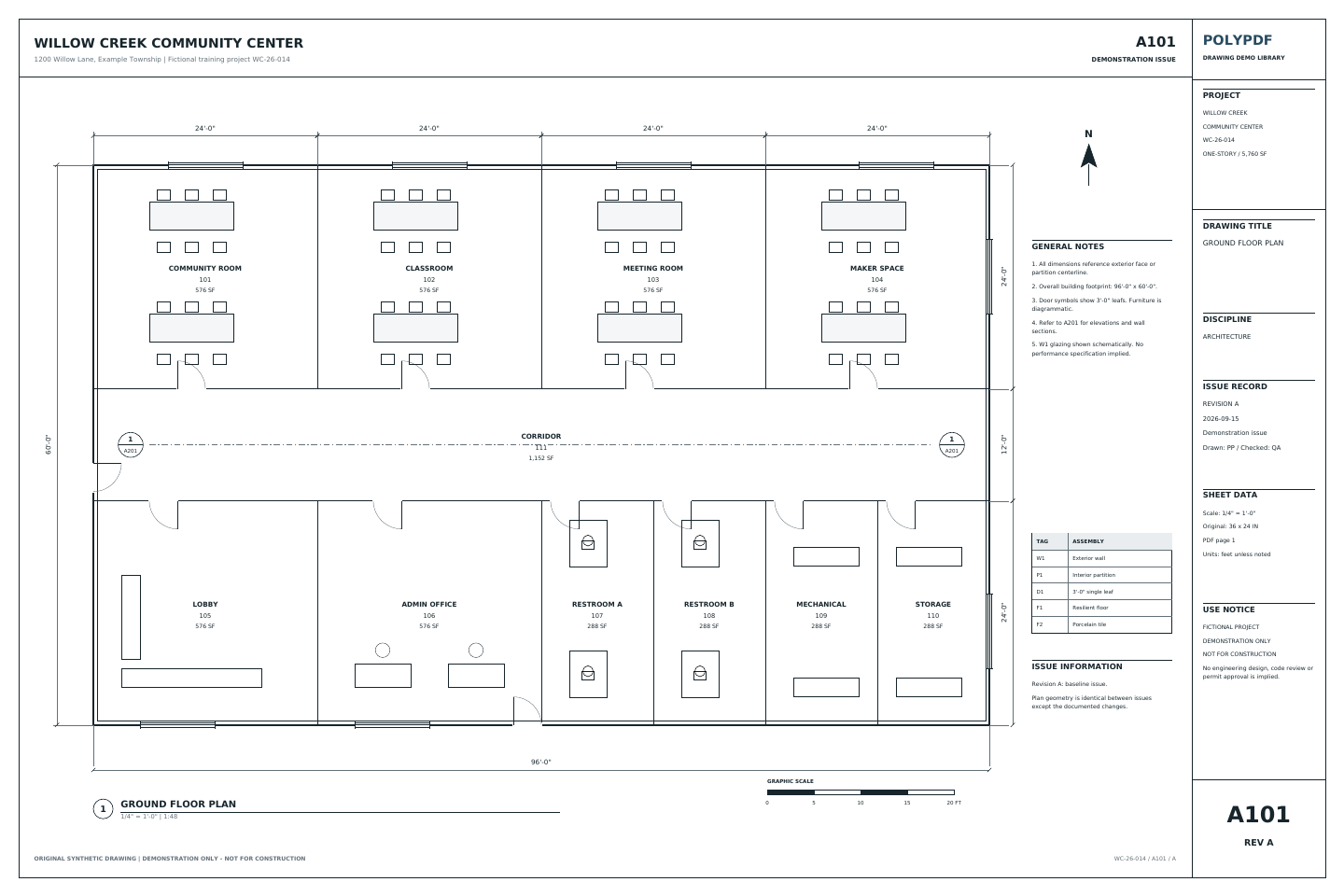 Download Revision A · PDF
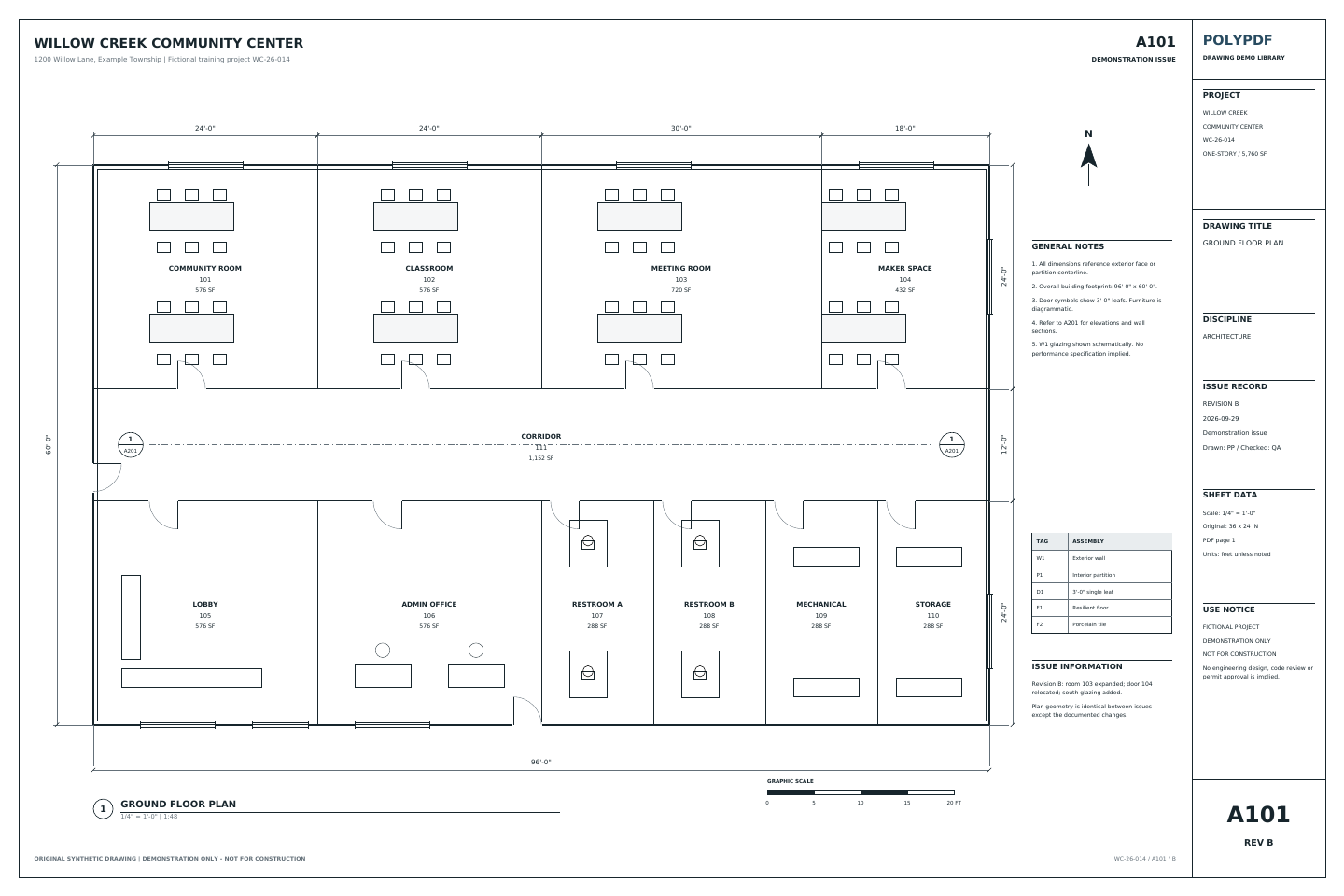 Download Revision B · PDF
Practice with known source changes
Find three drawing changes in the Northline pair.
Download both synthetic A101 sheets. Open Revision A, choose Document → Compare Documents, select Revision B, and run Compare. Both files have matching 18 × 12 inch page boxes and the same drawing scale.
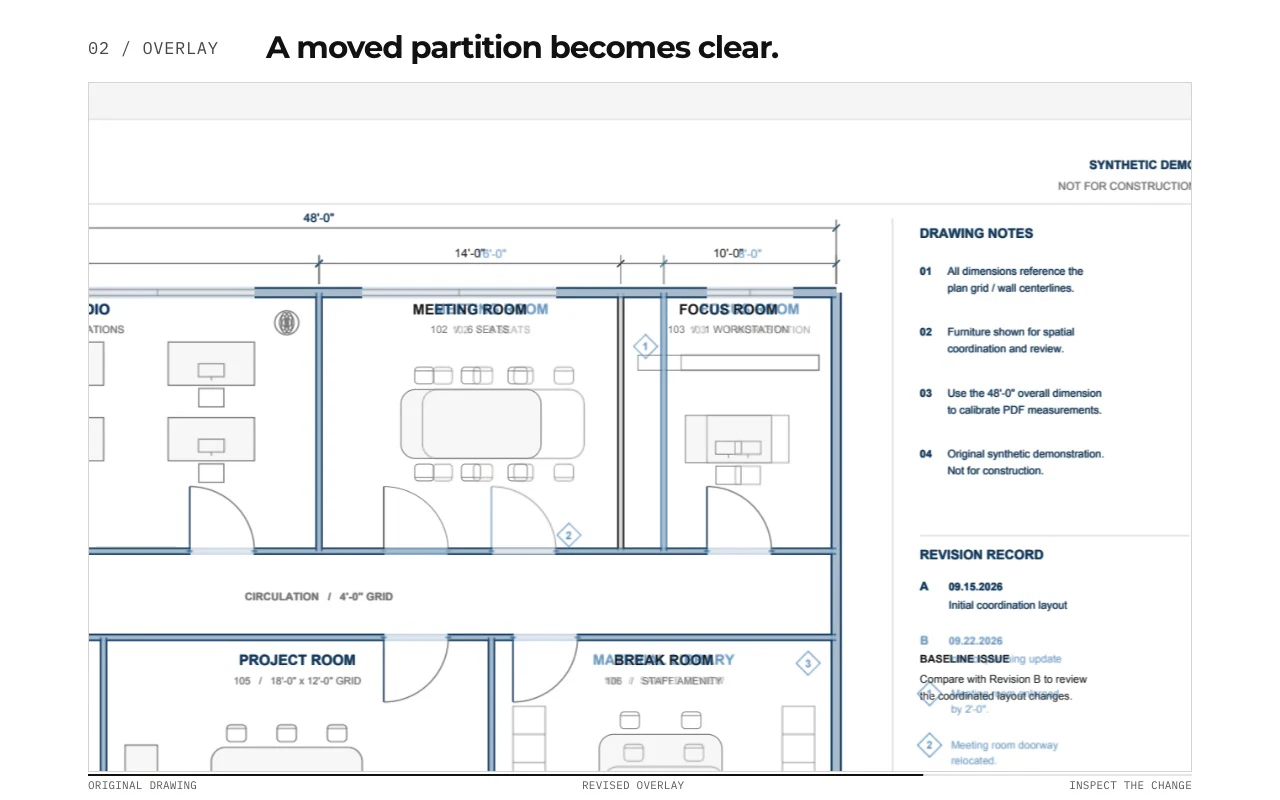
- Meeting Room 102. The partition moves 2 ft toward the Focus Room. The meeting-room width changes from 14 ft to 16 ft, and seating changes from six to eight.
- Meeting-room doorway. The entrance moves along the corridor wall. Inspect the old and new door locations as well as the nearby wall line.
- Room 106. The Break Room becomes a Material Library, with different furniture and shelving. Check the room name and the layout together.
These are three authored source changes, not a promise of three detected clouds. Labels, revision markers, and title-block updates also differ. One design change can produce several detected regions.
If most of the page appears changed, check the inputs. Compare page order, crop, rotation, plot scale, and alignment before interpreting the result. A shifted or stretched scan can make unchanged geometry look revised.
Download the original A/B practice pair.
No account or email required. These fictional drawings are for practice, not construction. They are comparison inputs, not app-generated comparison results.
Check the saved result.
Read the completion status and inspect each region. If the run used a fallback, its marks may be baked into the page rather than editable. Save under a new name, reopen the file, and check the result in the recipient's PDF viewer.
The downloadable pair was checked for matching page boxes and the source changes described here. This exercise does not certify a detection rate or current-release results on Mac or Windows. The guide's separate four-cloud example records its own version and verification scope.
Prepare a review handoff →02 / WORKFLOW
From source PDF to a result you can review.
- 01
Confirm the two source sheets
Check sheet number, revision, page size, orientation, and scale before treating visual differences as design changes.
- 02
Run the drawing comparison
Use the current and prior PDFs to surface regions that differ and focus the review on likely revision areas.
- 03
Inspect each meaningful change
Distinguish actual design revisions from title-block updates, raster noise, shifted scans, or alignment differences.
- 04
Mark the required response
Add a revision cloud, callout, note, or stamp where the team needs clarification, pricing, coordination, or acknowledgement.
03 / FIT
Move from “something changed” to a reviewable action.
- Supports a local desktop workflow for sensitive drawing sets.
- Keeps comparison findings beside normal PDF navigation and review tools.
- Lets reviewers add clouds and callouts around meaningful revision areas.
- Preserves a marked PDF that can enter the existing project record.
- Works on Mac and Windows for mixed-platform project teams.
Start with the free app. Pay once to unlock every Pro workflow.
Use PolyPDF 1.x forever on up to 3 Mac or Windows computers. Every PolyPDF 1.x update is included. Future major versions may be optional paid upgrades.
14-day money-back guarantee. Try PolyPDF on your own drawings, risk-free.
04 / FAQ
Questions before you test it.
Is PDF drawing comparison free in PolyPDF?
Compare Documents is available in Free and Pro on Mac and Windows. Free also includes markup and review. Colored overlays require Pro, as do creating, updating, and publishing Revision Packages. Free can view and navigate existing Revision Packages.
How is a PDF comparison different from an overlay?
Compare Documents detects rendered differences and creates a separate comparison PDF, normally with editable revision clouds. Overlay Pages superimposes page snapshots for visual inspection with color and opacity controls; it does not automatically list detected changes.
Why does nearly the whole drawing look changed?
Check page identity and order, crop, rotation, plot scale, and alignment. Shifted or stretched scans can create widespread visual differences. Resolve those mismatches before treating detected regions as design changes.
What should I check before comparing two drawings?
Confirm the sheet identity, revision, orientation, page size, and scale. A shifted scan or differently cropped sheet can create visual differences that are not design changes.
Does comparison replace a formal revision review?
No. It helps focus attention, but the issued revision record and a qualified reviewer remain authoritative. Every detected difference still needs context.
Can I mark up the differences afterward?
Yes. Use revision clouds, callouts, text, shapes, and stamps to record what the team needs to review or act on.
Should I use Compare Documents or a Revision Package?
Use Compare Documents for a focused visual diff between two PDFs. Use a Revision Package when a complete drawing issue needs sheet reconciliation, carried review work, change and impact review, references, and controlled publication.