Drawing review and takeoff · Mac & Windows

Measure and mark up PDF drawings without another subscription.

Calibrate scale, measure precisely, and mark up the drawings you already receive — built for architects, engineers, contractors, and estimators. Free on Mac and Windows; unlimited hand-created measurements are a one-time $49.99.

PolyPDF runs on Mac and Windows desktops — grab the build for the machine you work on.

Unlock Unlimited for $49.99

Signed, notarized builds. Start free on your own drawings — upgrade only when you need unlimited hand-created measurements.

3

Free measurements per document

$49.99

One-time license, no renewal

Mac+PC

One license covers 3 computers

Stripe

Secure checkout

PolyPDF app icon

What you can do on day one

Calibrate scale and measure distances, areas, and angles on real PDF drawings.
Mark up punch items, design comments, and review notes without bouncing between tools.
Try the full app free on Mac or Windows, then buy once only if unlimited hand-created measurements will save you time.

What PolyPDF helps you do faster

Designed for architects, engineers, contractors, estimators, and reviewers working from PDF drawings.

Measure PDF drawings with confidence

Set the scale once and take distance, area, and angle measurements directly on the PDFs your team already uses.

Mark up reviews without tool switching

Add callouts, highlights, shapes, and notes so site issues, design comments, and decisions are easier to communicate.

Buy only after it proves itself

The free download — Mac or Windows — lets you test PolyPDF on live work before you unlock unlimited hand-created measurements.

See it on a real sheet

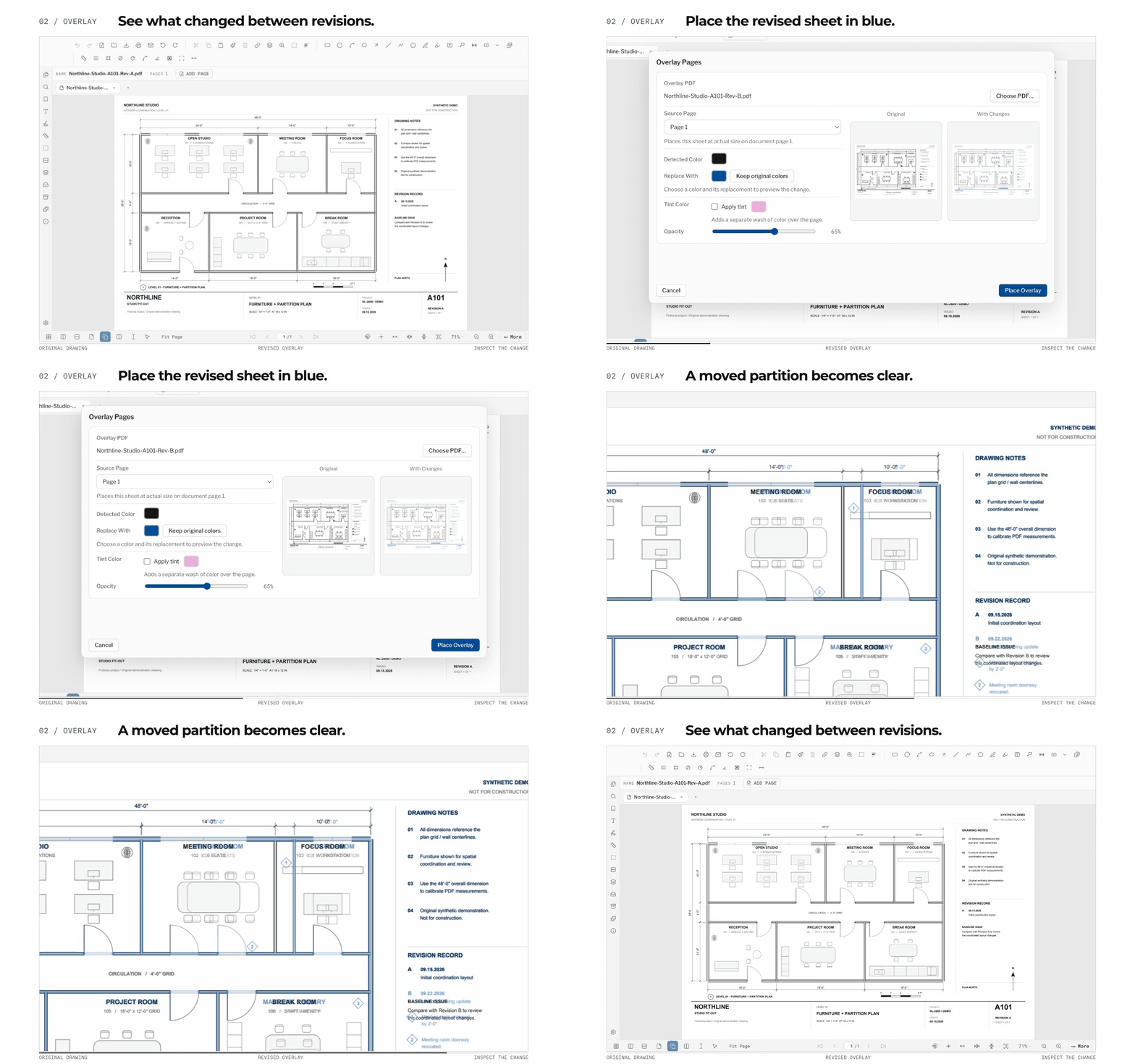
Counting, measuring and drawing review — the work you actually do all day — across three disciplines of one project. Captured from the shipping app, not mocked up.

PolyPDF counting symbols on a construction drawing: numbered count markers on the sheet with a running per-subject tally in the takeoff worksheet

Counts that keep score for you

Drop a marker on each symbol and the takeoff worksheet keeps a running tally per subject, right beside your areas and lengths. Number the marks as you go, then export the whole worksheet to CSV or PDF when it is time to price the job.

02

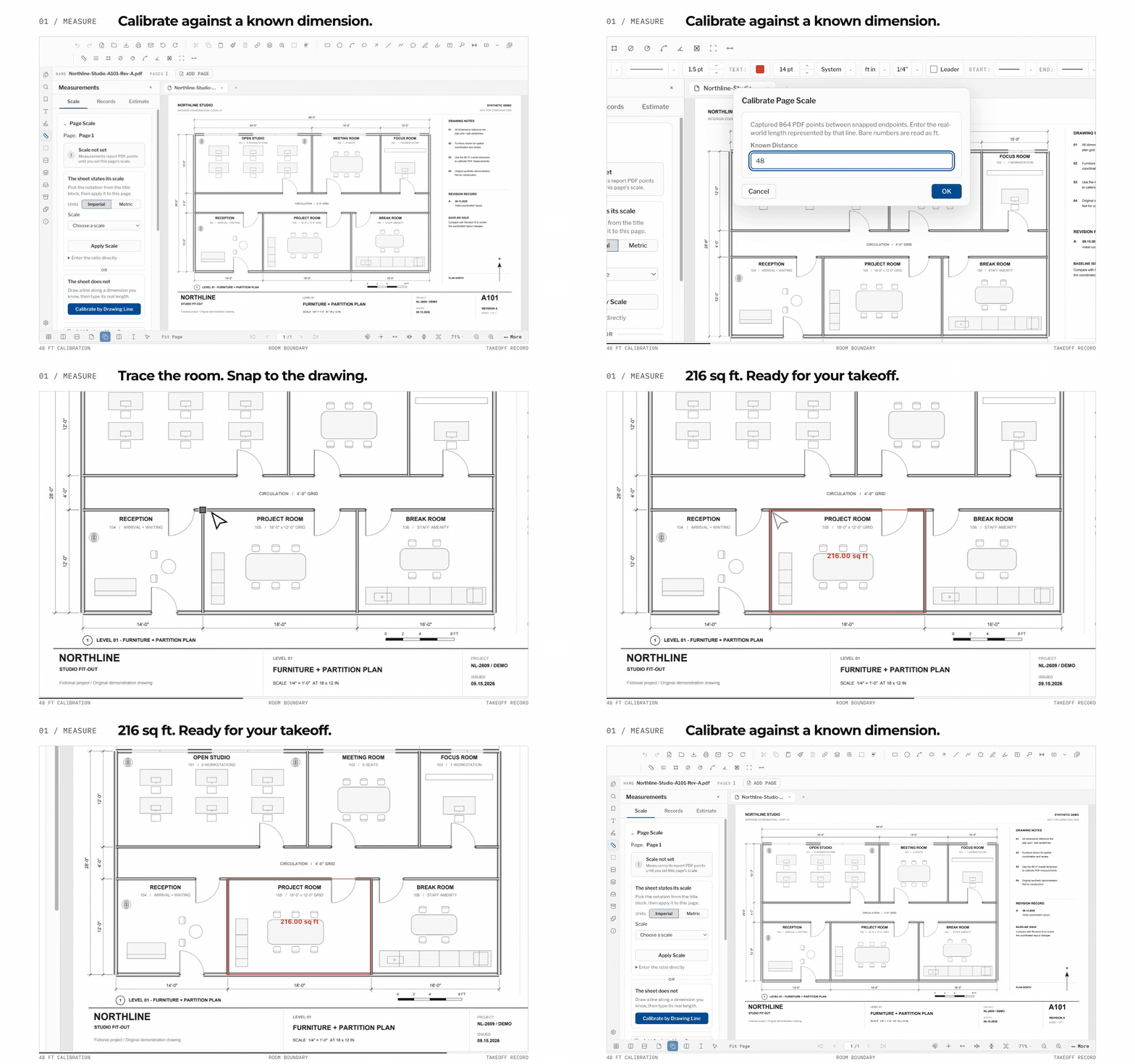
Real units from the PDF you were sent

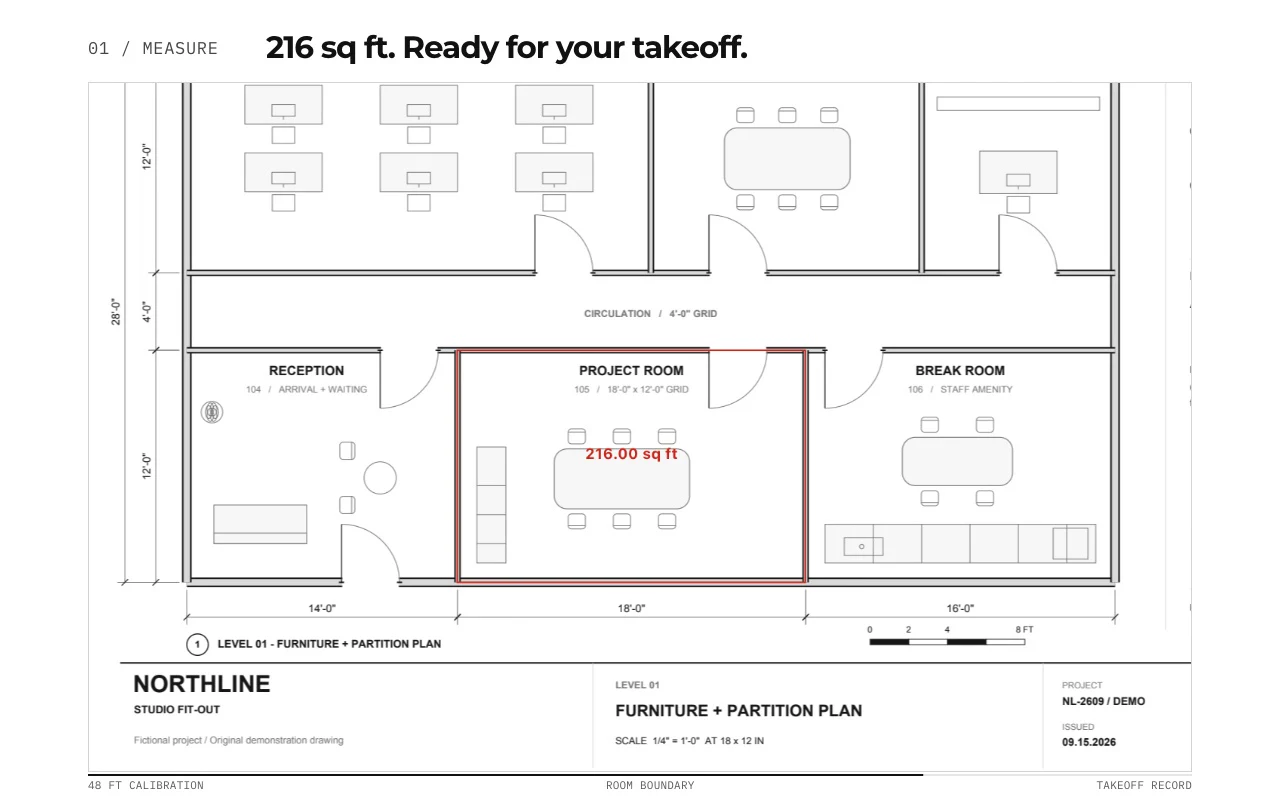
Calibrate to the printed scale once — presets for the common architectural scales, or dial in your own, metric or imperial — then pull areas, lengths and perimeters that land directly on the drawing. No CAD file, no re-drawing, no math on a notepad.

PolyPDF measuring a calibrated floor plan: area and length measurements placed on the drawing with results in the takeoff worksheet
03

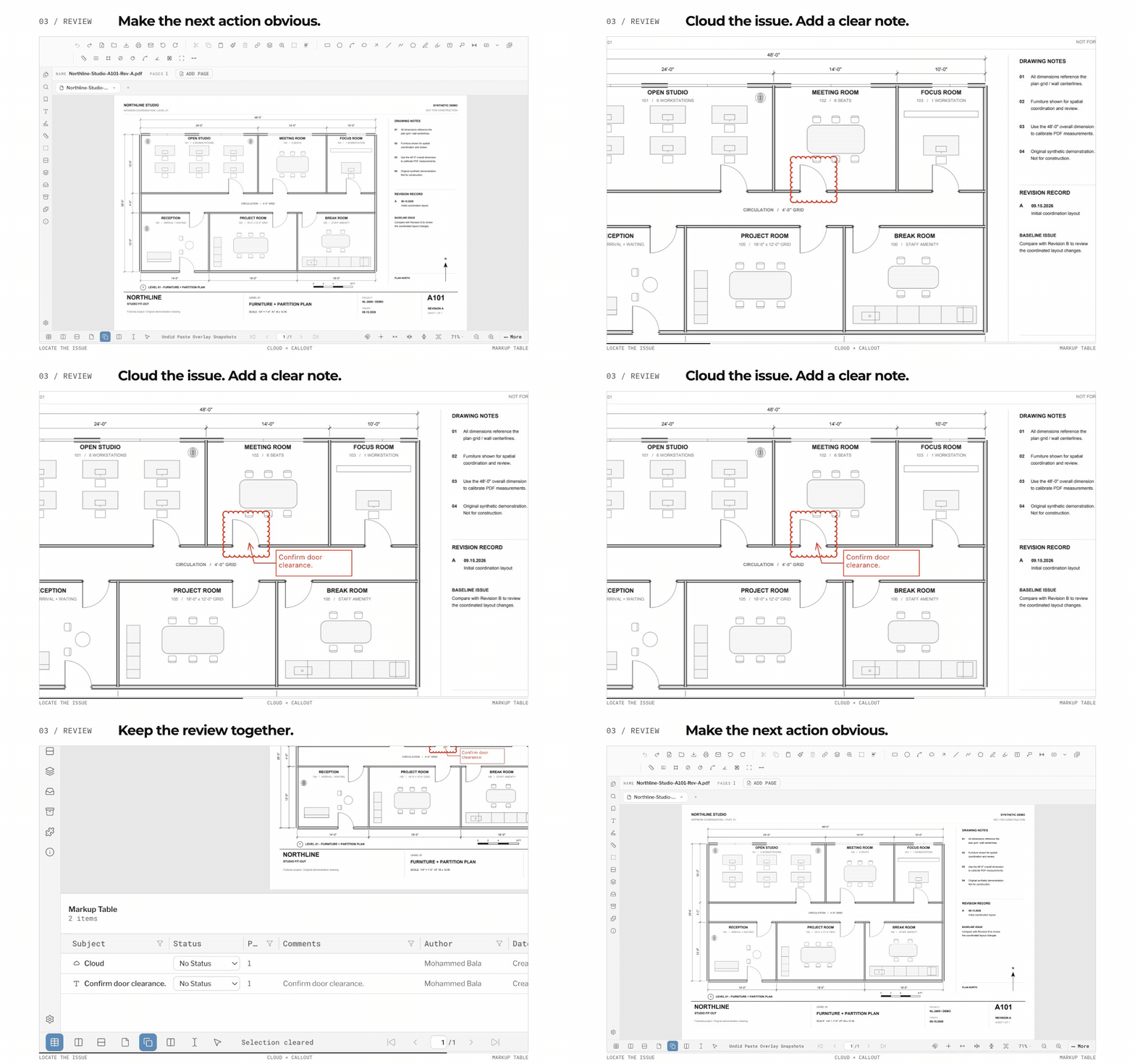
Reviews and RFIs, straight on the sheet

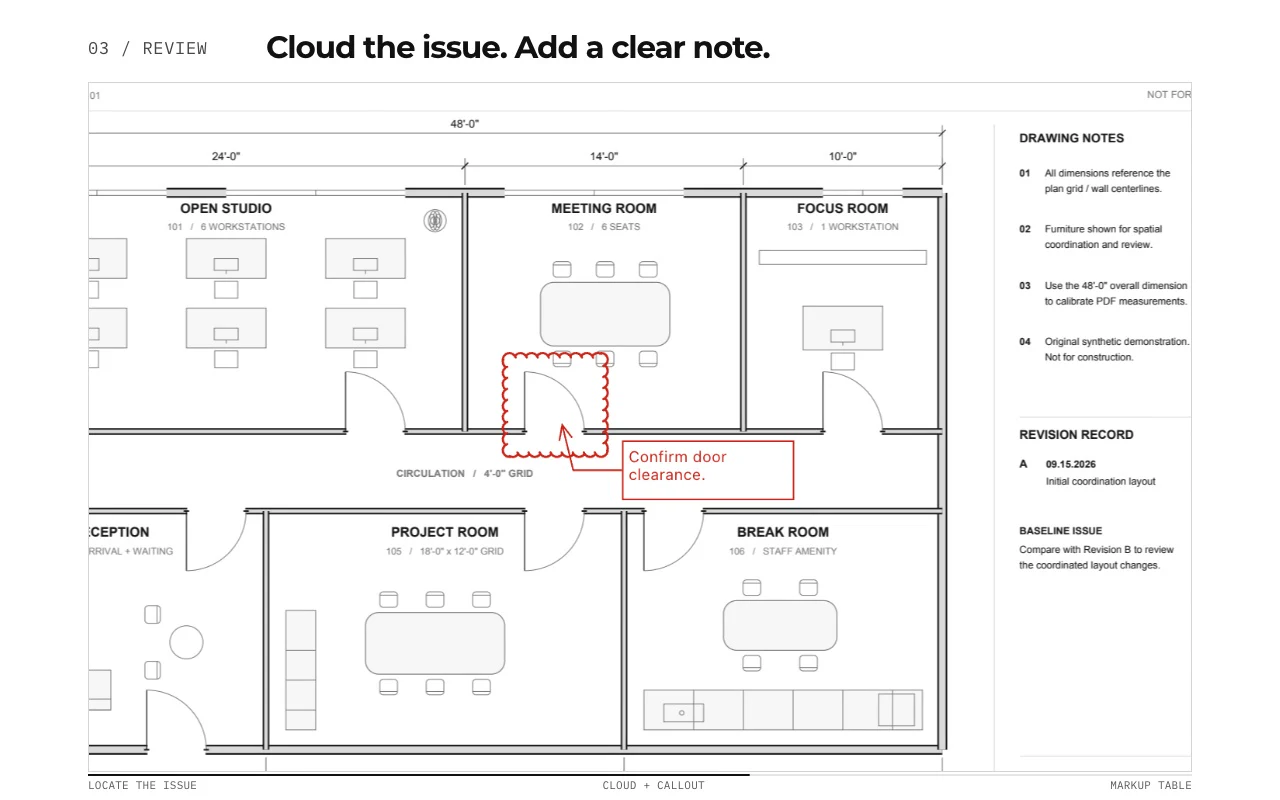
Revision clouds, leader callouts, stamps and highlights, with text sizing you control — so a note that reads on screen still reads on a printed half-size set. Every markup is tracked in the markups list, so nothing you flag gets lost between review rounds.

PolyPDF drawing review on a plan sheet: a revision cloud, leader callout, and stamps with every annotation tracked in the Markups list

Native on your desktop — Mac and Windows.

AEC teams deserve tools built for the machine in front of them. PolyPDF runs the same engine as a real desktop app on macOS and Windows, focused on the everyday review, markup, calibration, and takeoff workflows construction PDFs demand.

One app, both platforms

The Mac DMG and the signed Windows installer ship the same engine at the same version — open drawings directly, no VM or browser-only workaround on either side.

AEC takeoff basics

Distance, area, perimeter, angle, count, and dimension tools are built around the PDFs architects, contractors, and estimators already exchange.

No annual seat timer

Try real documents for free, then unlock unlimited hand-created measurements with one direct license that covers up to 3 computers.

Start free. Upgrade only when you need unlimited hand-created measurements.

The free download — Mac or Windows — handles review and markup. Pro removes the measurement cap for $49.99 once.

Free

Use PolyPDF on real drawings

$0

  • Download the full app free — Mac or Windows — and start with the real product
  • Open PDF drawings, calibrate scale, and use markup tools with no trial countdown
  • Verify fit on your own plans with up to 3 hand-placed measurements per document, plus unlimited Visual Search auto-counts
  • Decide after real use, not from a watered-down demo
Download free for macOS
Founder's License

Unlock unlimited hand-created measurements

$49.99

  • Unlock unlimited hand-created measurements across all of your documents
  • Pay $49.99 once for PolyPDF 1.x on up to 3 computers — Mac or Windows
  • Keep PolyPDF 1.x forever, with every public 1.x update included
  • Secure Stripe checkout with license delivery by email
Buy Once for $49.99

Use PolyPDF 1.x forever on up to 3 Mac or Windows computers. Every PolyPDF 1.x update is included. Future major versions may be optional paid upgrades. Founder pricing is available until September 10, 2026 at 11:59 p.m. ET or after 100 fulfilled licenses, whichever comes first. Secure Stripe checkout. Refund requests follow PolyPDF's policy.

Try it on your workflow before you buy.

Download free, test it on your own drawings, and pay once only if you want unlimited hand-created measurements.

01

Download the app free

Grab the Mac DMG or the signed Windows installer and open the full product, not a time-limited trial.

02

Test it on a real drawing

Calibrate scale and place up to 3 hand-created measurements in each document to confirm it fits your workflow.

03

Unlock unlimited when ready

If PolyPDF saves you time, buy the $49.99 Founder's License and keep using PolyPDF 1.x without a yearly fee.

FAQ

Short answers to the buying questions that usually block a download.

What can I do before I pay?

You can download the app free on Mac or Windows, open your own PDFs, calibrate scale, use the markup tools, place up to 3 hand-created measurements in every open document, and use uncapped Visual Search auto-count. That gives you a real-world test before you buy.

Does one license cover both Mac and Windows?

Yes. A license activates PolyPDF on up to 3 computers in any mix — three Macs, three Windows PCs, or any combination.

What does the $49.99 license unlock?

The Founder's License removes the hand-created measurement limit. Use PolyPDF 1.x forever on up to 3 Mac or Windows computers. Every PolyPDF 1.x update is included. Future major versions may be optional paid upgrades.

Is this a subscription?

No. The PolyPDF Pro Founder's License is $49.99 once. There is no annual renewal, recurring maintenance bill, or subscription timer.

What happens after I buy?

Checkout is handled securely by Stripe. Your license key is delivered by email, and you paste it into the app once — on Mac or Windows — to unlock unlimited hand-created measurements.

How do refunds work?

Purchases are handled through Stripe and PolyPDF support. Refund requests are reviewed under the refund policy, which also covers your statutory rights.

Start free. Upgrade only if PolyPDF earns it.

Download the app on Mac or Windows, test it on your own drawings, and unlock unlimited hand-created measurements for $49.99 only when you want to remove the cap.

PolyPDF runs on Mac and Windows desktops — grab the build for the machine you work on.

Buy Once for $49.99
Signed builds — notarized on Mac, Authenticode on Windows
Up to 3 computers per license
Secure Stripe checkout