PDF takeoff for Mac and Windows
Construction takeoff software for Mac and Windows.
Calibrate a sheet once, measure lengths, areas, perimeters, angles, radii, diameters, and counts, then keep the results beside the drawing and export them to CSV or PDF.
Built for estimators and contractors who receive PDFs—not perfect CAD files—and need a direct path from drawing to quantity record.
Free with no trial timer: markup, review, calibration, 3 hand-created measurements per document, and Revision Package viewing. Symbol Search, plugins, and Revision Package changes or publishing require Pro.
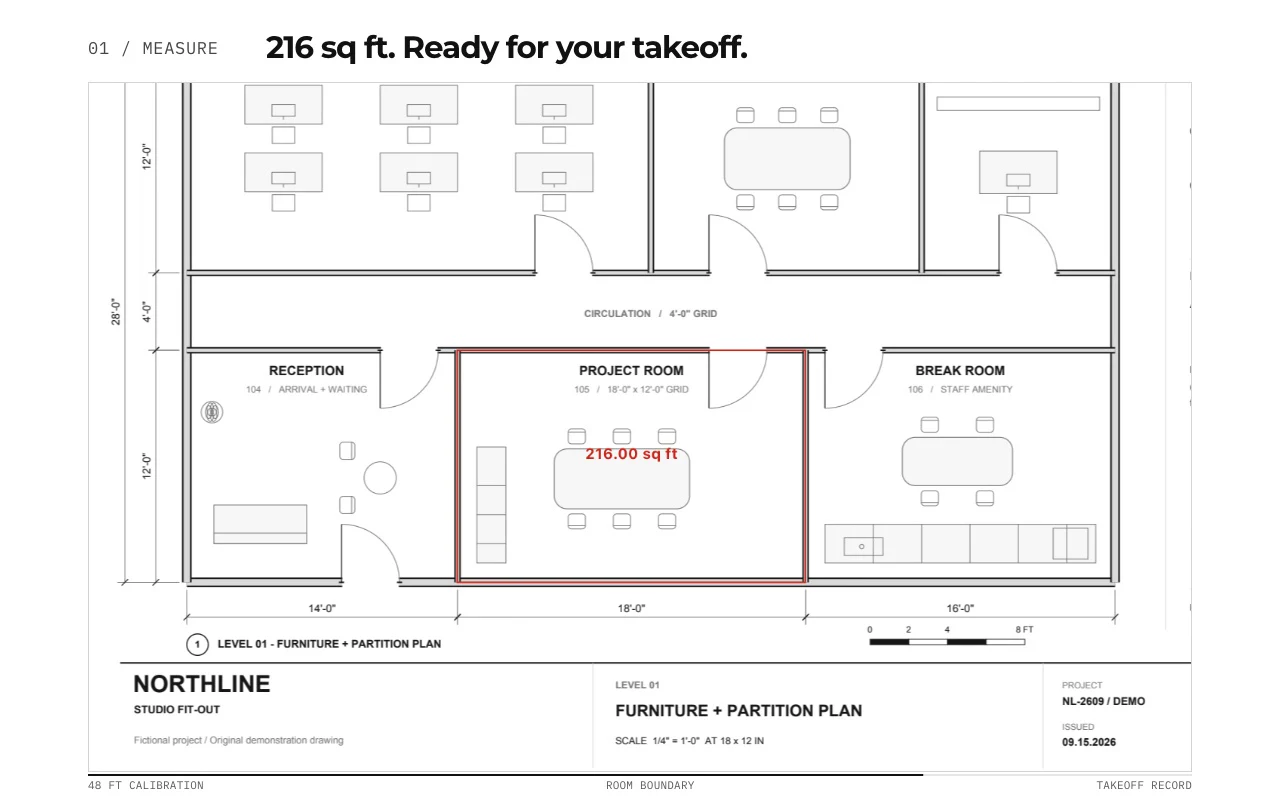
Quick answer
Is there free construction takeoff software for Mac and Windows?
PolyPDF Free for Mac and Windows includes calibration, markup, review, and up to 3 hand-created measurements per document, with no trial timer. Personal Pro costs $74.95 USD once for PolyPDF 1.x on up to 3 computers. It removes the measurement cap and unlocks Symbol Search and other Pro workflows. Future major upgrades may be paid. Test your drawing and required handoff before buying.
Compare Free, Pro, and license terms →01 / WHY
Keep the quantity and its drawing context together.
A takeoff is easier to audit when every result still points back to the sheet it came from. PolyPDF places measurements on the drawing while the worksheet tracks subject, quantity, units, and totals in one desktop workspace.
Work with the construction drawing set
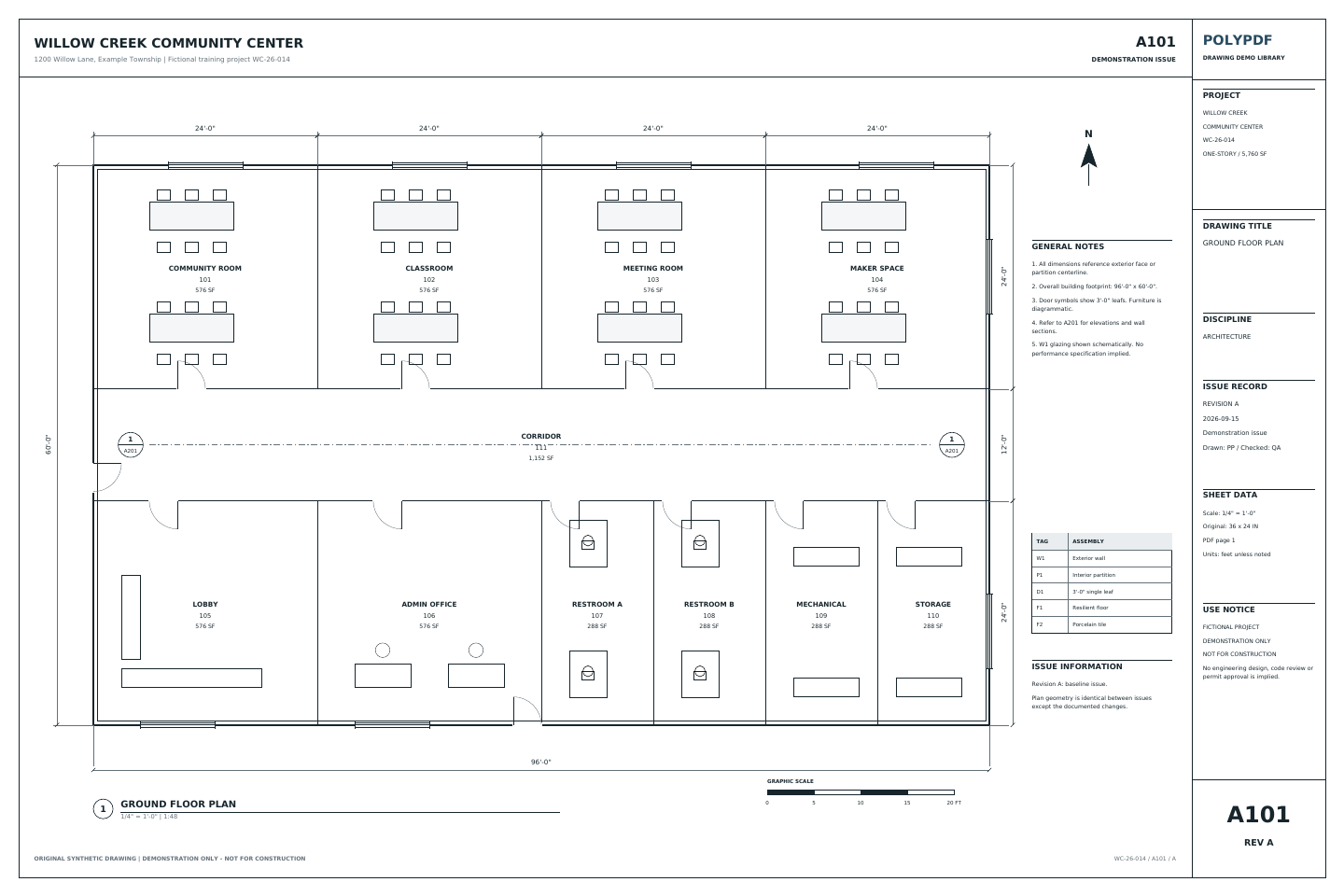
Measure the Willow Creek architectural plan
A101 · A201
- Open A101, Revision A. Calibrate the printed 20 ft reference; it spans 360 PDF points.
- Check the independent 96 ft width and 60 ft depth, then trace the outside building boundary.
- Compare the gross area with 5,760 sq ft. Keep sheet, revision, subject, unit, and total with the exported record.
This is a gross footprint exercise. It does not measure net flooring or subtract walls. The two length checks and one area use three manual measurements.
Drawing reference values, not new app test results. Work on a copy and check your own saved output.
Inspect the saved Mac example and its tested local build →
Move checked quantities into the free Excel takeoff template →
 Download Revision A · PDF
Choose the edition for your work
Free takeoff or Pro: what do you need?
Start with Free to check a drawing, review markups, and create up to 3 hand-created measurements per document. There is no trial timer. Choose Pro when your takeoff needs more measurements, Symbol Search, or another Pro workflow.
- Personal Pro license
- $74.95 USD, one payment. No subscription. Applicable taxes are shown at checkout.
- Computers and updates
- Use PolyPDF 1.x forever on up to 3 Mac or Windows computers. Every PolyPDF 1.x update is included. Future major versions may be optional paid upgrades.
- Direct website purchases
- 14-day money-back guarantee. Refund policy.
Review Pro pricing and purchase →
A personal license's computer allowance is not a team seat allocation. Review licensing for organization-managed seats.
| Your workflow | Free | Pro |
|---|---|---|
| Markup, review & scale calibration | Included | Included |
| Hand-created measurements | 3 per document | Unlimited |
| PDF content editing & colored overlays | Pro required | Included |
| Preset & custom toolsets | Browse presets | Place and use tools |
| Symbol Search & installed plugins | Pro required | Included |
| Revision Packages | View and navigate | Create, update and publish |
Your existing drawings and markups stay in place when you activate Pro.
Check the workflow as well as the price. PolyPDF records drawing quantities for review and export. Material prices, labor, allowances, and project scope still need your estimating judgment. If a project requires Bluebeam Studio, PolyPDF cannot join it. Check your required handoff before switching.
Evaluate before buying
Try a three-measurement takeoff.
Use the synthetic flooring drawing to test a small workflow within the Free limit. Its two net room areas total 408 sq ft. This is a practice drawing, not a construction document.
- Calibrate and check. Open the practice PDF and calibrate using a printed dimension. Use your first measurement to check a different known span. Stop and resolve any mismatch before taking off quantities.
- Measure the two net areas. Trace Room 1 around its edge-connected exclusion: 240 − 12 = 228 sq ft. Trace Room 2: 180 sq ft. With the check measurement, that uses three hand-created measurements.
- Review, export, and reopen. Check the two area rows total 408 sq ft. Keep the length check separate from the area total. Export the worksheet, save a separate PDF copy, and reopen it to inspect your measurements.
Calibration guide · Flooring workflow · Add your waste allowance
Start with the drawing. Check the outputs.
- Download the flooring practice drawing · PDF
- Reference calculations · PDF
- Saved Mac measurements · PDF
- Mac worksheet export · CSV
No account or email is required for these files.
The practice drawings were redrawn on October 17, 2026 with walls, doors, dimensions, legends, and title blocks. The measured examples retain the original scale, geometry, and Mac-created annotations on the updated backgrounds. They are republished derivatives, not new desktop exports. The worksheet CSV and PDF totals come from the original October 16 test.
The 408 sq ft area result was exported and reopened in PolyPDF 1.6.6 build 38 on Mac. These files verify those two area measurements; they do not establish current-release or Windows parity. The three-measurement sequence above is an evaluation guide, not a separately verified app test.
See all samples and verification details →02 / WORKFLOW
From source PDF to a result you can review.
- 01
Confirm the page scale
Choose a common architectural or engineering preset, or calibrate against a known distance. Use imperial or metric units to match the source sheet. New metric dimensions default to millimetres; existing document formats are preserved.
- 02
Create measurement subjects
Organize results by the material, assembly, or scope you are quantifying so repeated measurements land in a consistent worksheet row.
- 03
Measure and count on the sheet
Place distance, area, perimeter, angle, and count annotations directly on the drawing while PolyPDF updates the worksheet.
- 04
Export for pricing or review
Send the worksheet to CSV for estimating calculations or PDF for a readable project record.
03 / FIT
Useful takeoff fundamentals without a recurring seat fee.
- Works with ordinary PDF plan sets from designers, owners, and general contractors.
- Supports architectural and engineering scale calibration in imperial or metric units.
- Keeps measurements visible on the sheet and organized in the takeoff worksheet.
- Exports results without requiring a CAD source file.
- Lets you verify the workflow free before unlocking unlimited hand-created measurements.
Start with the free app. Pay once to unlock every Pro workflow.
Use PolyPDF 1.x forever on up to 3 Mac or Windows computers. Every PolyPDF 1.x update is included. Future major versions may be optional paid upgrades.
14-day money-back guarantee. Try PolyPDF on your own drawings, risk-free.
04 / FAQ
Questions before you test it.
What measurements can PolyPDF create?
PolyPDF supports distance, area, perimeter, angle, radius, diameter, dimension, and count workflows on calibrated PDF drawings.
Can I export takeoff results?
Yes. The takeoff worksheet can be exported to CSV for downstream calculations or PDF for a readable record.
Do I need the original CAD file?
No. PolyPDF works from the PDF drawing. You calibrate the page using its stated scale or a known distance.
Is PolyPDF takeoff free?
PolyPDF Free has no trial timer and includes calibration, markup, review, and up to 3 hand-created measurements per document. Pro removes that measurement cap and unlocks Symbol Search and other Pro workflows.
How much does a PolyPDF Pro license cost?
The personal Pro license costs $74.95 USD in one payment, with applicable taxes shown at checkout. Use PolyPDF 1.x forever on up to 3 Mac or Windows computers. Every PolyPDF 1.x update is included. Future major versions may be optional paid upgrades. Direct website purchases have a 14-day money-back guarantee. Organization-managed seats have separate team licensing.