Version History
What has shipped in PolyPDF for Mac and Windows, release by release
Current: macOS 1.6.23 (90) · Windows 1.6.23 (90)
PolyPDF updates itself. On Mac, choose Help > Check for Updates in the app, or accept the update prompt when it appears. On Windows, an update downloads in the background and installs when you quit. Save your work before installing. Your existing PolyPDF 1.x Pro license continues to apply.
PolyPDF 1.6.23 (build 90) restores markup click selection and resizing while search highlights are visible. Text boxes and callouts support text down to 1 pt, and imported formatted text keeps the chosen size when edited, saved and reopened. It includes the collaboration and Windows fixes from 1.6.22; Collaboration Host 1.6.22 remains current.
Versions read as version (build); the number in parentheses is the build number support asks for.
1.6.23 (90)
macOSOctober 26, 2026
- Concurrent reviewers keep teammate markups while sharing their own changes. Save waits for pending uploads, and blocked sharing offers a clear reason and Retry sharing.
- Click to select and resize markups while search highlights remain visible.
- Set text boxes and callouts below 6 pt, down to 1 pt. Small font defaults remain available for new markups.
- Imported formatted text follows the chosen font size while editing and after saving and reopening.
- Includes the collaboration, Windows thumbnail reordering and upgrade fixes from 1.6.22. Collaboration Host 1.6.22 remains current.
- Mac users who installed the earlier build 90 should download and reinstall this replacement.
1.6.23 (90)
WindowsOctober 26, 2026
- Concurrent reviewers keep teammate markups while sharing their own changes. Save waits for pending uploads, and blocked sharing offers a clear reason and Retry sharing.
- Click to select and resize markups while search highlights remain visible.
- Set text boxes and callouts below 6 pt, down to 1 pt. Small font defaults remain available for new markups.
- Imported formatted text follows the chosen font size while editing and after saving and reopening.
- Includes the collaboration, Windows thumbnail reordering and upgrade fixes from 1.6.22. Collaboration Host 1.6.22 remains current.
- Mac users who installed the earlier build 90 should download and reinstall this replacement.
1.6.21 (88)
macOSOctober 25, 2026
- Fixes Claude Desktop MCP connection startup and desktop profile discovery, including Windows standard-input handling.
- Improves collaboration catch-up after joining or reconnecting, including queued local edits and connection status.
1.6.21 (88)
WindowsOctober 25, 2026
- Fixes Claude Desktop MCP connection startup and desktop profile discovery, including Windows standard-input handling.
- Improves collaboration catch-up after joining or reconnecting, including queued local edits and connection status.
1.6.20 (87)
macOSOctober 23, 2026
- Each open document keeps its own Markups Table sort order, column filters and saved-filter selection when switching tabs or hiding and reopening the table.
- Restored filters also restore the faded markup preview. Table choices last while the document remains open and do not change saved markup data.
1.6.20 (87)
WindowsOctober 22, 2026
- Each open document keeps its own Markups Table sort order, column filters and saved-filter selection when switching tabs or hiding and reopening the table.
- Restored filters also restore the faded markup preview. Table choices last while the document remains open and do not change saved markup data.
1.6.19 (86)
macOSOctober 22, 2026
- Custom Scale accepts drawing-scale notation in Measurements and the footer scale menu. Calibrate by Drawing Line sets the same page scale from a known dimension; saved page scales remain available after reopening the PDF.
- Combine in PolyPDF is enabled by default in Windows Explorer, with a file-order review before combining.
- Page-key handling, thumbnail tracking and search or markup navigation keep the active document and visible drawing target aligned.
- Review status commands and shortcuts work with imported markups. Column filtering fades excluded markups as context without changing their saved colors.
1.6.19 (86)
WindowsOctober 22, 2026
- Custom Scale accepts drawing-scale notation in Measurements and the footer scale menu. Calibrate by Drawing Line sets the same page scale from a known dimension; saved page scales remain available after reopening the PDF.
- Combine in PolyPDF is enabled by default in Windows Explorer, with a file-order review before combining.
- Page-key handling, thumbnail tracking and search or markup navigation keep the active document and visible drawing target aligned.
- Review status commands and shortcuts work with imported markups. Column filtering fades excluded markups as context without changing their saved colors.
1.6.16 (83)
macOSOctober 19, 2026
- Grouped symbols retain their text when saved to Tools and placed again. Existing saved toolsets are preserved when adding tools from older documents.
- Count stays active across consecutive clicks regardless of the general repeat-drawing setting. Press Enter or Escape to finish the series.
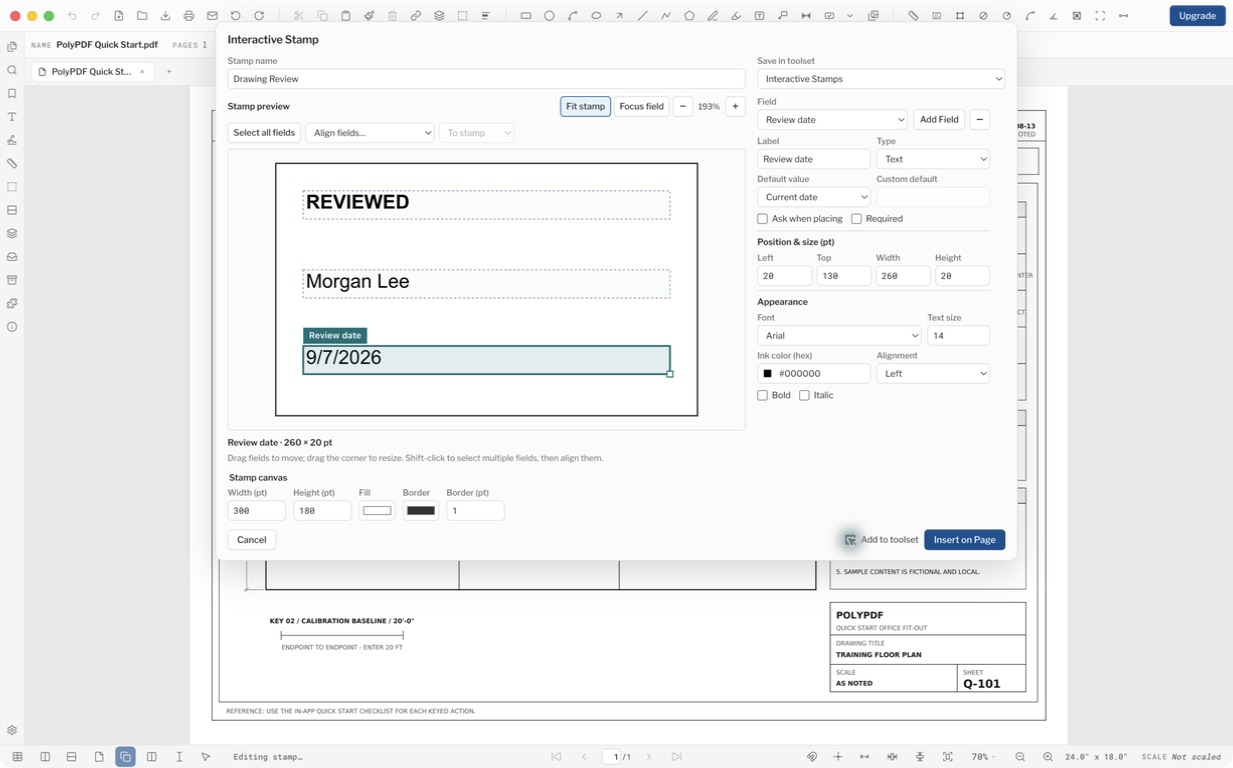
- Stamp Builder adds Bring to Front, Bring Forward, Send Backward and Send to Back controls without changing the prompt order of existing stamps.
- Tab reordering, PDF combine order, stamp folder access, 1000% zoom, Cloud+, hollow-selection behavior and No Border have been improved. Closing tabs cancels stale PDF text work.
- License Manager 1.0.3 adds optional per-computer seat allocation. Existing rights and company settings stay unchanged until an administrator chooses the option; Collaboration Host 1.6.15 remains compatible.
1.6.16 (83)
WindowsOctober 19, 2026
- Grouped symbols retain their text when saved to Tools and placed again. Existing saved toolsets are preserved when adding tools from older documents.
- Count stays active across consecutive clicks regardless of the general repeat-drawing setting. Press Enter or Escape to finish the series.
- Stamp Builder adds Bring to Front, Bring Forward, Send Backward and Send to Back controls without changing the prompt order of existing stamps.
- Tab reordering, PDF combine order, stamp folder access, 1000% zoom, Cloud+, hollow-selection behavior and No Border have been improved. Closing tabs cancels stale PDF text work.
- License Manager 1.0.3 adds optional per-computer seat allocation. Existing rights and company settings stay unchanged until an administrator chooses the option; Collaboration Host 1.6.15 remains compatible.
1.5.5 (27)
macOSSeptember 13, 2026
- Zoom with the mouse wheel in Single page view without holding Command. Multipage views scroll by default. Customize wheel and double-click-drag zoom separately for each layout in Settings > View, or right-click the page-layout buttons in the bottom bar.
- Double-click and drag to zoom around the point you choose. When the wheel is set to scroll in Single page view, scrolling past a page edge advances to the next or previous page, with protection against accidental trackpad momentum.
- Hold Shift and drag with the left mouse button to pan. Hold Shift while scrolling the wheel to pan horizontally.
- Snapshots retain their size and proportions when pasted between differently rotated pages. Saved snapshot artwork also preserves its orientation when opened in other PDF viewers.
1.5.5 (27)
WindowsSeptember 13, 2026
- Zoom with the mouse wheel in Single page view without holding Command. Multipage views scroll by default. Customize wheel and double-click-drag zoom separately for each layout in Settings > View, or right-click the page-layout buttons in the bottom bar.
- Double-click and drag to zoom around the point you choose. When the wheel is set to scroll in Single page view, scrolling past a page edge advances to the next or previous page, with protection against accidental trackpad momentum.
- Hold Shift and drag with the left mouse button to pan. Hold Shift while scrolling the wheel to pan horizontally.
- Snapshots retain their size and proportions when pasted between differently rotated pages. Saved snapshot artwork also preserves its orientation when opened in other PDF viewers.
1.5.0 (22)
macOSSeptember 3, 2026
- Revision Packages add a guided path for importing a new drawing issue, reconciling sheets, carrying reviewed work forward, reviewing changes and quantity or cost impact, checking references, and publishing a current package with a revision report.
- Portable .polyset projects keep verified source copies, revision history, sheet links, and publication records together while leaving the original PDFs unchanged.
- Dialogs and sidebars were audited for clearer actions, reliable keyboard behavior, readable layouts, long content, narrow panels, and smaller windows.
- PDF rendering, annotation movement, page operations, saving, signatures, and update checks include additional reliability safeguards.
1.5.0 (22)
WindowsSeptember 3, 2026
- Revision Packages add a guided path for importing a new drawing issue, reconciling sheets, carrying reviewed work forward, reviewing changes and quantity or cost impact, checking references, and publishing a current package with a revision report.
- Portable .polyset projects keep verified source copies, revision history, sheet links, and publication records together while leaving the original PDFs unchanged.
- Dialogs and sidebars were audited for clearer actions, reliable keyboard behavior, readable layouts, long content, narrow panels, and smaller windows.
- PDF rendering, annotation movement, page operations, saving, signatures, and update checks include additional reliability safeguards.
1.4.4 (21)
WindowsAugust 30, 2026
- AEC OCR can recover structured schedules, title-block details, drawing labels, and dimensions from plan sheets, with local table-model inference and spreadsheet-ready table output.
- Tool Chest adds built-in Doors, Windows, and Fire Protection sets, plus BTX, SVG, and DXF toolset import.
- Measurements add Radius and Diameter tools, path and circular suggestions, movable labels and leaders, precision controls, helper dimensions, and keyboard nudging.
- Edit PDF fonts, Markups List count series, toolset export and drag-and-drop, collaboration setup, plugin discovery, and PDF rendering reliability were refined.
1.4.4 (21)
macOSAugust 29, 2026
- AEC OCR can recover structured schedules, title-block details, drawing labels, and dimensions from plan sheets, with local table-model inference and spreadsheet-ready table output.
- Tool Chest adds built-in Doors, Windows, and Fire Protection sets, plus BTX, SVG, and DXF toolset import.
- Measurements add Radius and Diameter tools, path and circular suggestions, movable labels and leaders, precision controls, helper dimensions, and keyboard nudging.
- Edit PDF fonts, Markups List count series, toolset export and drag-and-drop, collaboration setup, plugin discovery, and PDF rendering reliability were refined.
1.4.3 (20)
macOSAugust 27, 2026
- Collaboration Beta lets approved Mac and Windows users exchange live markups, cursors, presence, and ordered offline edits through a customer-owned host while the PDF stays on the mounted company share.
- Owners can approve devices as Owner, Editor, or Viewer, resolve offline conflicts, restore signed history, and safeguard controlled saves and externally replaced PDFs.
- Annotation text adds a shared cross-platform font catalogue while retaining installed-font discovery on macOS and preserving saved defaults.
- Visual signatures add selectable ink colors, preserve their exported appearance, remain editable when visual-only, and undo as one operation.
1.4.3 (20)
WindowsAugust 27, 2026
- Collaboration Beta lets approved Mac and Windows users exchange live markups, cursors, presence, and ordered offline edits through a customer-owned host while the PDF stays on the mounted company share.
- Owners can approve devices as Owner, Editor, or Viewer, resolve offline conflicts, restore signed history, and safeguard controlled saves and externally replaced PDFs.
- Annotation text adds a shared cross-platform font catalogue while retaining installed-font discovery on macOS and preserving saved defaults.
- Visual signatures add selectable ink colors, preserve their exported appearance, remain editable when visual-only, and undo as one operation.
1.4.2 (19)
macOSAugust 26, 2026
- Symbol Search has a clearer sample-selection and review workflow, with more reliable unique-label and count-series handling.
- Estimate and takeoff views improve columns, filtering, totals, navigation, and PDF summary output.
- Bundled Maps, Steel Sections, and Seal Maker plugins remain discoverable on Free; inserting plugin content prompts for Pro.
- Split panes, map resizing, Edit PDF content handling, Save All, text selection, area measurements, and Markup Table presentation received fixes.
1.4.2 (19)
WindowsAugust 26, 2026
- Symbol Search has a clearer sample-selection and review workflow, with more reliable unique-label and count-series handling.
- Estimate and takeoff views improve columns, filtering, totals, navigation, and PDF summary output.
- Bundled Maps, Steel Sections, and Seal Maker plugins remain discoverable on Free; inserting plugin content prompts for Pro.
- Split panes, map resizing, Edit PDF content handling, Save All, text selection, area measurements, and Markup Table presentation received fixes.
1.4.1 (18)
macOSAugust 23, 2026
- Symbol Search and plugin workflows now guide Free users consistently to the PolyPDF Pro upgrade screen.
- Pro access is enforced across both the visible interface and the underlying document services.
- License changes safely close in-progress Pro workflows and return the document to Select with Thumbnails open.
- Saved Free workspaces no longer reopen directly into Symbol Search or a paid plugin surface, and the 100-license Founder offer now has a clear sold-out state.
1.4.1 (18)
WindowsAugust 24, 2026
- Symbol Search and plugin workflows now guide Free users consistently to the PolyPDF Pro upgrade screen.
- Pro access is enforced across both the visible interface and the underlying document services.
- License changes safely close in-progress Pro workflows and return the document to Select with Thumbnails open.
- Saved Free workspaces no longer reopen directly into Symbol Search or a paid plugin surface, and the 100-license Founder offer now has a clear sold-out state.
1.4.0 (17)
macOSAugust 23, 2026
- PDF Maps places styled maps on plans and keeps them editable as live geographic viewports.
- Auto Area finds enclosed rooms; area cutouts resize, and optional helper dimensions support direct numeric entry.
- Custom Shortcuts lets you review, reassign, clear, and reset commands from Settings.
- Split-view zoom, snapping controls, plugin editing, toolbars, Settings, palettes, document controls, and drawing reliability were refined.
1.4.0 (17)
WindowsAugust 23, 2026
- PDF Maps places styled maps on plans and keeps them editable as live geographic viewports.
- Auto Area finds enclosed rooms; area cutouts resize, and optional helper dimensions support direct numeric entry.
- Custom Shortcuts lets you review, reassign, clear, and reset commands from Settings.
- Split-view zoom, snapping controls, plugin editing, toolbars, Settings, palettes, document controls, and drawing reliability were refined.
1.3.4 (16)
macOSAugust 17, 2026
- Fit Height joins Fit Page and Fit Width, with viewport alignment that no longer reserves a scrollbar gutter.
- Command-click inserts a vertex and Command-Shift-click removes one on areas, polylines, and Workspace edges.
- Narrow-sidebar and common laptop layouts keep toolbars, plugin controls, measurement panels, and contextual controls usable.
- Generated seals handle long names more cleanly and export their current artwork correctly.
1.3.4 (16)
WindowsAugust 17, 2026
- Fit Height joins Fit Page and Fit Width, with viewport alignment that no longer reserves a scrollbar gutter.
- Ctrl-click inserts a vertex and Ctrl-Shift-click removes one on areas, polylines, and Workspace edges.
- Narrow-sidebar and common laptop layouts keep toolbars, plugin controls, measurement panels, and contextual controls usable.
- Generated seals export correctly, and opened documents use corrected Windows path handling.
1.3.2 (14)
macOSAugust 10, 2026
1.3.1 (13)
macOSAugust 9, 2026
1.3.0 (11)
macOSAugust 8, 2026
1.2.1 (10)
macOSAugust 4, 2026
1.2.0 (9)
macOSAugust 2, 2026
1.1.3 (8)
WindowsJuly 29, 2026
- The first signed release of PolyPDF for Windows 10 and 11: the installer and the app are code-signed by Euclidean Software, LLC.
- The same PolyPDF engine as the Mac app, at the same version.
- Updates install themselves — a new version downloads in the background and is applied when you quit.
1.1.3 (8)
macOSJuly 28, 2026
- Saved style defaults, per tool: set highlight color, pen color, font and more once — every new markup uses them, even after quitting and reopening. Right-click a markup and choose "Set as Tool Default", or adjust the style bar with nothing selected.
- Text boxes and callouts start empty, so you can place and type straight away.
- The Callout keyboard shortcut is now Q, matching the key most estimators already use.
- Fixed: on Macs without Xcode, PolyPDF could trigger a macOS prompt to install the command line developer tools. They were never needed, and the prompt is gone.
1.1.2 (7)
macOSJuly 28, 2026
- Visual Search and automatic counting: select a symbol on a drawing and PolyPDF finds the other instances on the page, ready to commit as a Count series in one step.
- A dedicated search panel with results in context and highlighting across the document.
- Fixed: Command-X/C/V/A did nothing in text fields — including the license key box. All four shortcuts work everywhere now.
- Fixed: a temporary network problem could reset an activated Pro copy to the Free tier.
- Fixed: edits to markups imported from 1.0.x-era files could be silently undone on reopen.
- Fixed: saving certain large CAD and plan-set PDFs could produce a file other viewers reported as damaged.
1.1.1 (6)
macOSJuly 23, 2026
- Fixed: after closing the last window, opening a PDF from the Finder did nothing. It now opens in a new window as expected.
- Fill and hatch opacity controls are now steppers with 10% increments.
1.1.0 (5)
macOSJuly 19, 2026
- A major new foundation for PolyPDF, verified against the ISO 32000-2 PDF standard.
- Measurements and takeoff: calibrate a sheet once, measure lengths, areas, and counts, and pull totals into a takeoff worksheet.
- Full markup set: clouds, callouts, hatches, industry line styles, stamps, snapshots, and built-in symbol tool sets.
- Compare Documents: differences between two revisions arrive as editable revision-cloud markups.
- OCR for scanned sheets, including rotated labels on plan sets.
- Forms and digital signatures, Bates numbering, watermarks, flatten, page operations, and redaction. Redaction removes decodable text; vector or outlined content and some nested images can survive under the black fill, so check sensitive output before you send it.
1.0.3 (4)
macOSApril 27, 2026
- Maintenance release for the original native Mac app.
1.0.2 (3)
macOSApril 27, 2026
- Maintenance release for the original native Mac app.
1.0.1 (2)
macOSApril 27, 2026
- Maintenance release for the original native Mac app.